> ## Documentation Index
> Fetch the complete documentation index at: https://docs.trabajosonline.org/llms.txt
> Use this file to discover all available pages before exploring further.
# Application Status
# Jobs application Status
## Tracking the Status of Applications 🔍
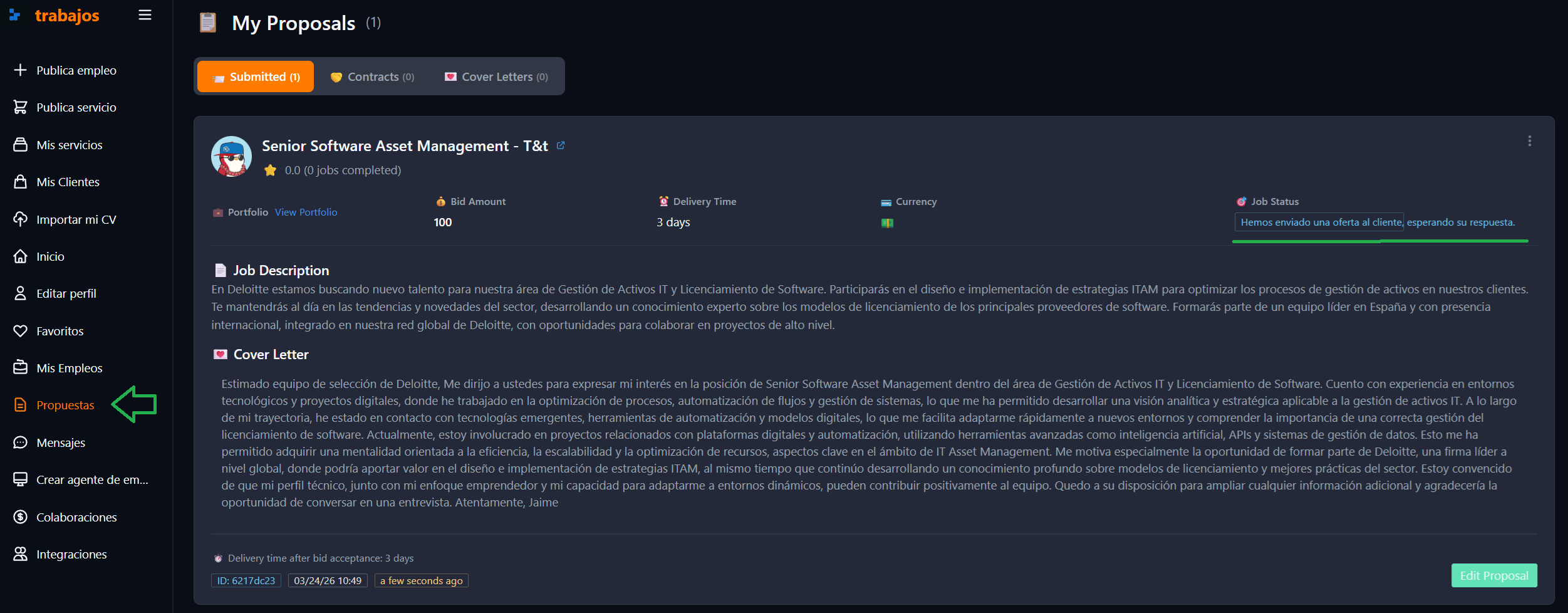
To monitor the status of your applications on **Trabajos Online**, you need to log in and go to the top right menu, select **"My Proposals"**. In this section, by choosing a specific job offer, you can view the current status of your application, which can be in one of the following stages:
 ### Application States
1. **Proposal Sent**: Your proposal has been sent to the client, who has not yet accepted it. At this stage, if the client is interested, they may open a direct chat to discuss some aspects of your proposal. It's also possible to review the details of your proposal to ensure everything is correct 📩.
### Application States
1. **Proposal Sent**: Your proposal has been sent to the client, who has not yet accepted it. At this stage, if the client is interested, they may open a direct chat to discuss some aspects of your proposal. It's also possible to review the details of your proposal to ensure everything is correct 📩.
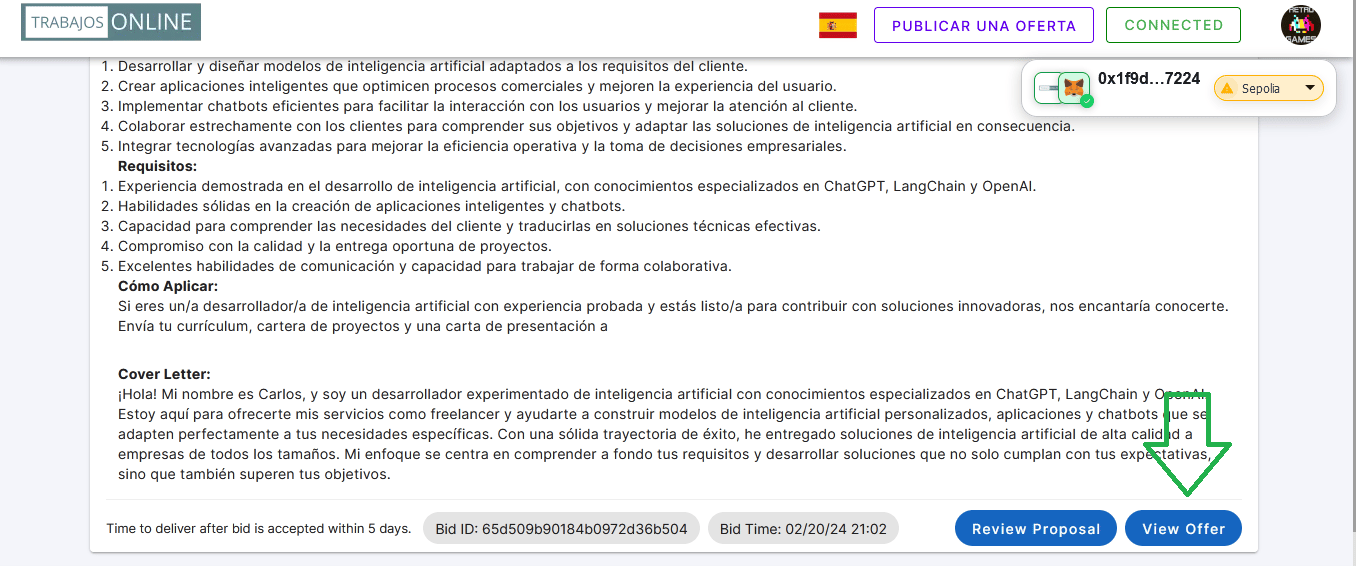
 2. **Proposal Accepted by the Client**: The client has accepted your proposal and sends you a final contract proposal for your approval. You can review the proposal in detail by selecting **"View Offer"** 👀.
 ### Client's Offer with Cryptocurrency Payment
Accessing, you can find the client's offer. At the top, you will find a status bar indicating at what point the contract process is.
### Client's Offer with Cryptocurrency Payment
Accessing, you can find the client's offer. At the top, you will find a status bar indicating at what point the contract process is.
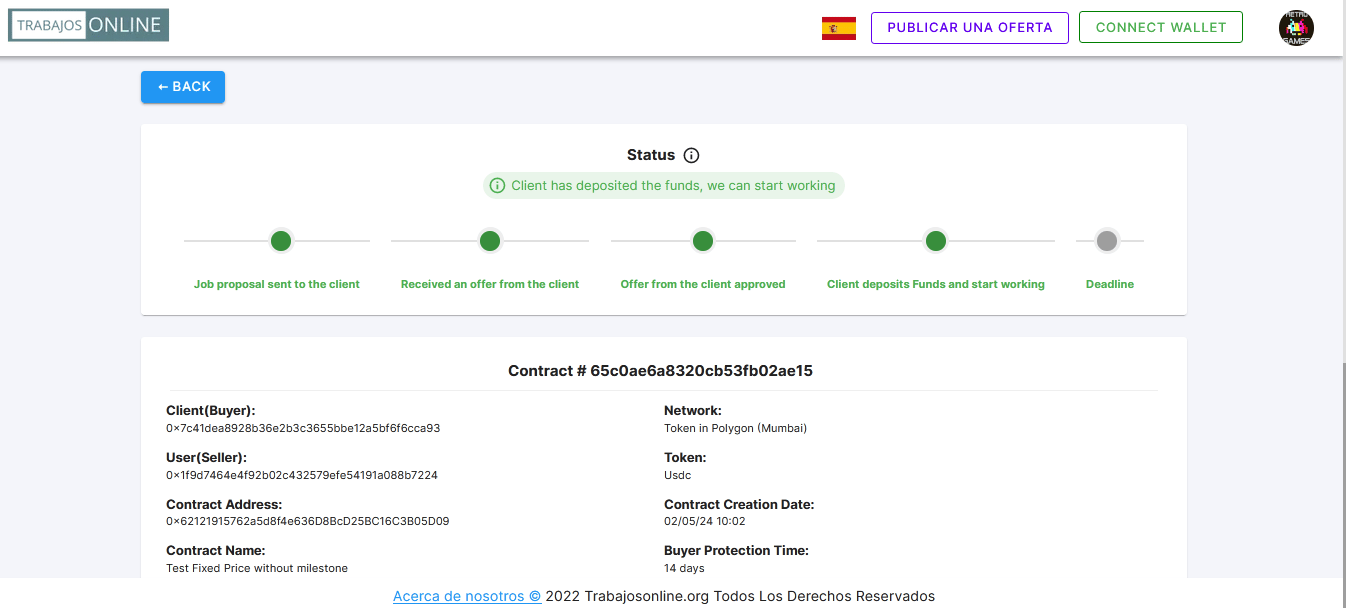 Below are detailed the details of both the client and the user, the blockchain of the proposal, the token used, the price of the contract, and the delivery time.
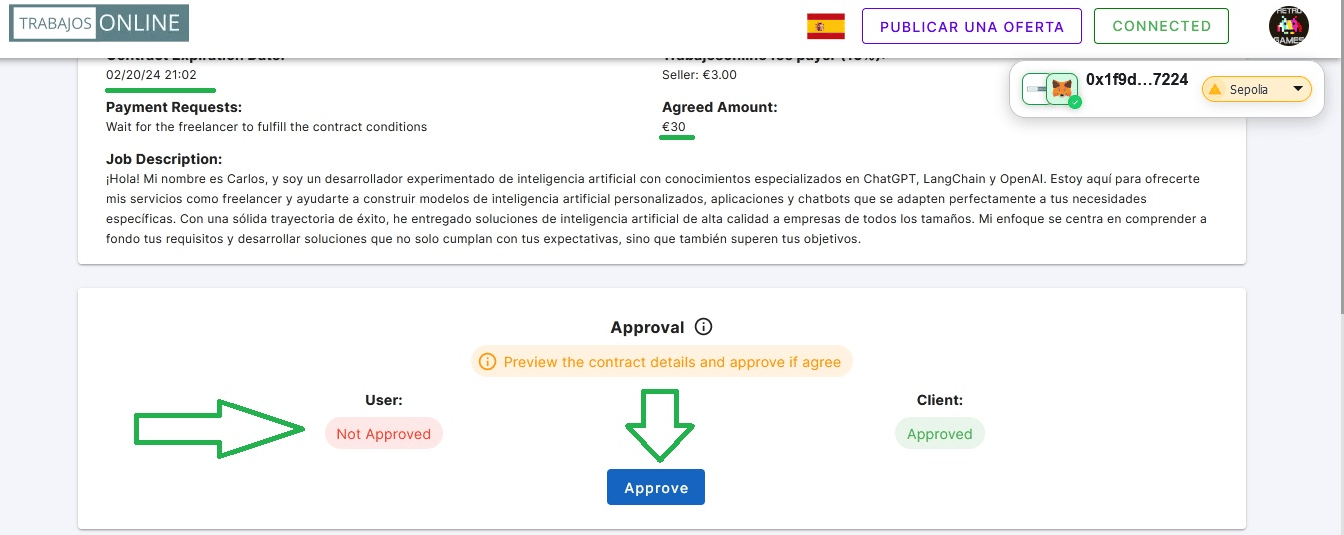
3. **Proposal Acceptance**: Below the above information, a box will open where you can accept the client's proposal, thus moving to the next step of the process ✅.
Below are detailed the details of both the client and the user, the blockchain of the proposal, the token used, the price of the contract, and the delivery time.
3. **Proposal Acceptance**: Below the above information, a box will open where you can accept the client's proposal, thus moving to the next step of the process ✅.
 ### Contract Deployment and Fund Deposit:
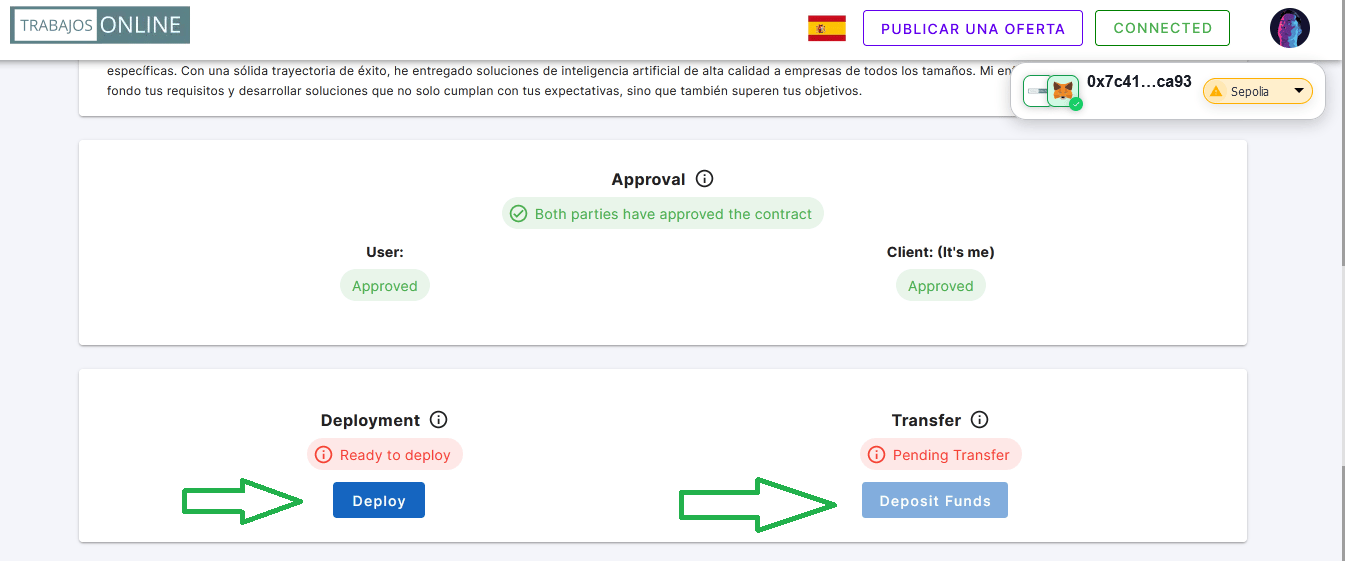
In the case of agreements in cryptocurrencies, the client proceeds to deploy the contract and deposit the corresponding funds 💰.
### Contract Deployment and Fund Deposit:
In the case of agreements in cryptocurrencies, the client proceeds to deploy the contract and deposit the corresponding funds 💰.
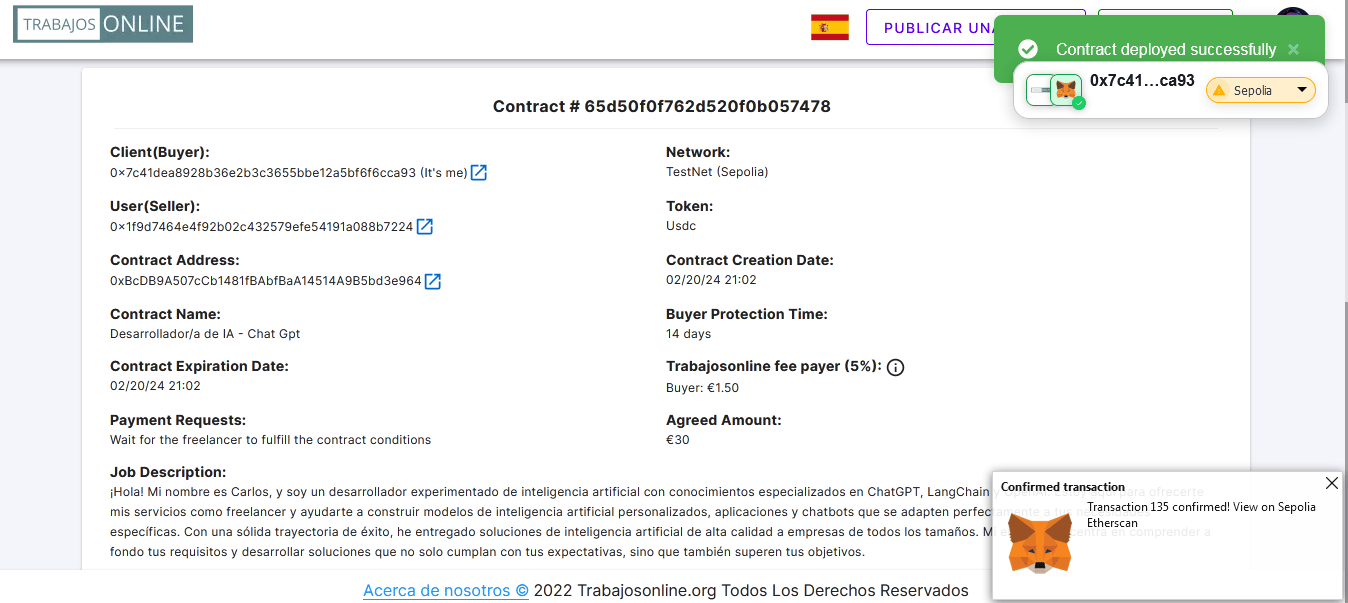
 Once the contract is deployed, we can access all its details such as the contract address, the token used, the price of the contract, and the delivery time.
 ### Confirmation of Fund Deposit:
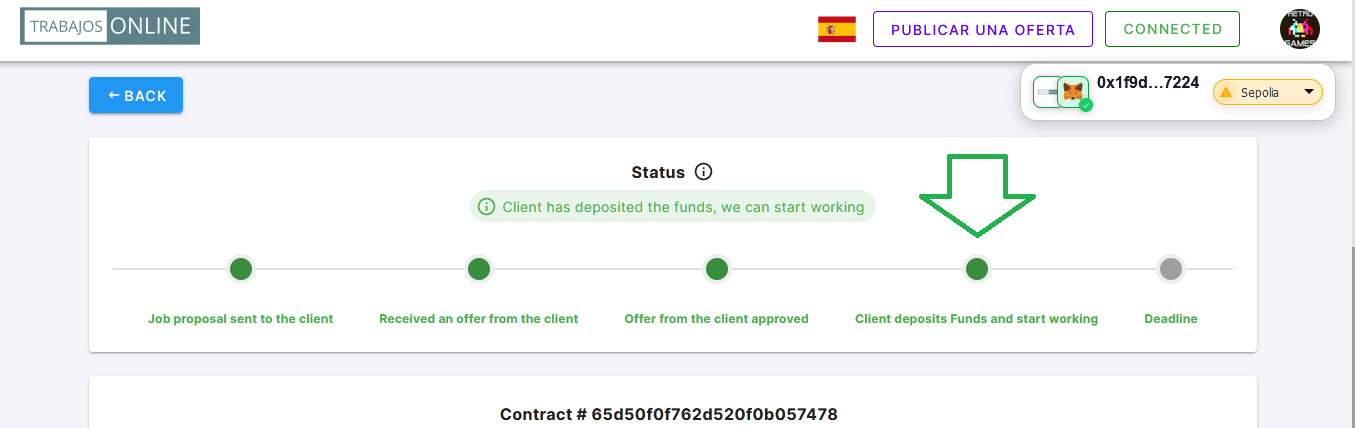
We receive confirmation on the platform that the client has deposited the funds, and we can start working on the project.
### Confirmation of Fund Deposit:
We receive confirmation on the platform that the client has deposited the funds, and we can start working on the project.
 By following all these steps, you will be able to stay informed about the progress of your applications, from the initial submission of the proposal to the final acceptance of the contract and the deposit of funds.
### Client's Offer with Fiat Payment
The process is similar to the previous one, but in this case, the client will send you a contract offer with payment in fiat currency. You can review the details of the offer and accept it if you agree with the proposed terms.
By following all these steps, you will be able to stay informed about the progress of your applications, from the initial submission of the proposal to the final acceptance of the contract and the deposit of funds.
### Client's Offer with Fiat Payment
The process is similar to the previous one, but in this case, the client will send you a contract offer with payment in fiat currency. You can review the details of the offer and accept it if you agree with the proposed terms.